

私的AI研究会 > AI_Program3
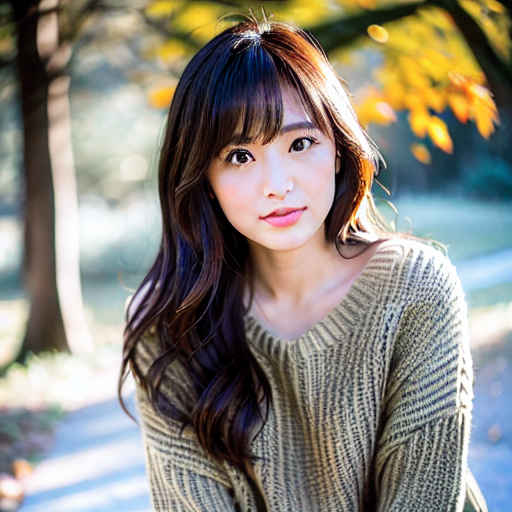
これまで検証してきた結果をもとに、Python で生成 AI プログラムを書く
| 画像から画像を生成する instruct-pix2pix と controlnet instruct-pix2pix |
参考サイト:instruct-pix2pixで画像を指示した通り変更したり
| Step | プログラム | GPU | CPU | |||||
| RTX 4070Ti | RTX 4060 | RTX 4060L | RTX 3050 | GTX 1050 | i7-1260P | |||
| 40 | 「instruct-pix2pix」で画像を変換 | sd_040.py | 00:03 | 00:08 | ||||
| sd_040a.py | 00:08 | 00:31 | ||||||
| 41 | image_guidance_scale パラメータによる変化 | sd_041.py | 00:12 | 00:24 | ||||
| sd_041a.py | 00:42 | 02:00 | ||||||
| 42 | 「controlnet instruct-pix2pix」で画像を変換 | sd_042.py | 00:02 | 00:14 | ||||
| 43 | パラメータによる変化 | sd_043.py | 00:06 | 00:24 | ||||
| 名称 | 機能 | 処理内容 | プロンプトの書き方 | モデルの場所 |
| instruct-pix2pix | 元画像をから新しい画像を作る | 指示された内容との関係がある部分だけ変えられる | 「これに変えたい」と書く | 【SD1.5】instruct-pix2pix |
| 【SDXL】sdxl-instructpix2pix-768 | ||||
| controlnet instruct-pix2pix | 元画像を改造する | 元画像全体を変えられる | 欲しい結果画像の姿を描写する | 【SD1.5】control_v11e_sd15_ip2p |
(base) PS > conda activate sd_test
(sd_test) PS > cd workspace_3/sd_test
SD1.5 版 「雪の中の場面にする」
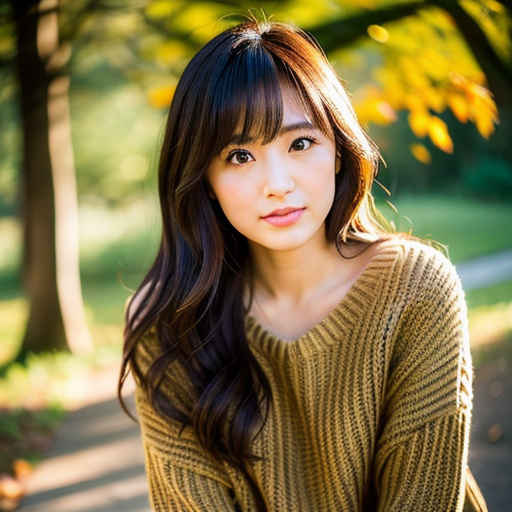
## sd_040.py【SD1.5】 画像から画像生成(instruct-pix2pix)サンプル・ソースコード
##      https://qiita.com/phyblas/items/28c342740c2ed00250b8
##      Model: https://huggingface.co/timbrooks/instruct-pix2pix
##      Ver. 0.00   2025/07/05

import torch
from PIL import Image
from diffusers import StableDiffusionInstructPix2PixPipeline, logging
from translate import Translator

logging.set_verbosity_error()

# フォルダーのパス
model_path = "timbrooks/instruct-pix2pix"                       # モデル
image_path = "images/sd_040_test.png"                           # 元画像

# GPUを使う場合は"cuda" 使わない場合は"cpu"
device = 'cuda' if torch.cuda.is_available() else 'cpu'

# seed 値
seed = 0

# パイプラインを作成
if device == 'cpu':
    pipeline = StableDiffusionInstructPix2PixPipeline.from_pretrained(model_path).to(device)
else:
    pipeline = StableDiffusionInstructPix2PixPipeline.from_pretrained(
                    model_path,
                    torch_dtype = torch.float16,
                    ).to(device)

# プロンプト
trans = Translator('en','ja').translate
prompt_jp = '雪の中の場面にする'                                # プロンプト
prompt = trans(prompt_jp)
src_image = Image.open(image_path)

# Generatorオブジェクト作成
generator = torch.Generator(device).manual_seed(seed)

print(f'Seed: {seed}, Model: {model_path}')
print(f'source_image: {image_path}')
print(f'prompt : {prompt_jp} → {prompt}')

# 画像を生成
image = pipeline(
                    prompt = prompt,
                    image = src_image,
                    num_inference_steps = 20,
                    image_guidance_scale = 1.5,
                    generator = generator
                    ).images[0]

image.save("results/image_040.png") # 生成画像(sd_test) PS > python sd_040.py Loading pipeline components...: 100%|████████████| 7/7 [00:02<00:00, 2.48it/s] Seed: 0, Model: timbrooks/instruct-pix2pix source_image: images/sd_040_test.png prompt : 雪の中の場面にする → Make it a scene in the snow 100%|██████████████████████████████████████████| 20/20 [00:01<00:00, 16.78it/s]
SDXL 版 「雪の中の場面にする」
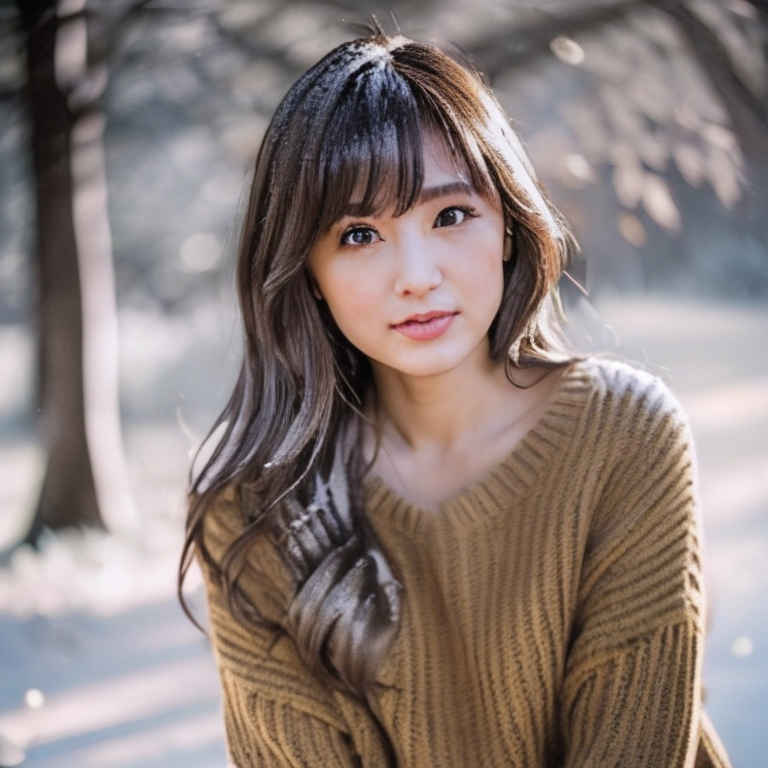
## sd_040a.py【SDXL】 画像から画像生成(instruct-pix2pix)サンプル・ソースコード
##      https://qiita.com/phyblas/items/28c342740c2ed00250b8
##      Model: https://huggingface.co/timbrooks/instruct-pix2pix
##      Ver. 0.00   2025/07/07

import torch
from PIL import Image
from diffusers import StableDiffusionXLInstructPix2PixPipeline, logging
from translate import Translator

logging.set_verbosity_error()

# フォルダーのパス
model_path = "diffusers/sdxl-instructpix2pix-768"              # モデル
image_path = "images/sd_040_test.png"                          # 元画像

# GPUを使う場合は"cuda" 使わない場合は"cpu"
device = 'cuda' if torch.cuda.is_available() else 'cpu'

# seed 値
seed = 0

# 画像サイズ
resolution = 768

# パイプラインを作成
pipeline = StableDiffusionXLInstructPix2PixPipeline.from_pretrained(
                    model_path,
                    torch_dtype = torch.float16,
                    ).to(device)

# プロンプト
trans = Translator('en','ja').translate
prompt_jp = '雪の中の場面にする'                                # プロンプト
prompt = trans(prompt_jp)
#src_image = Image.open(image_path)

from diffusers.utils import load_image
src_image = load_image(image_path).resize((resolution, resolution))

# Generatorオブジェクト作成
generator = torch.Generator(device).manual_seed(seed)

print(f'Seed: {seed}, Model: {model_path}')
print(f'source_image: {image_path}')
print(f'prompt : {prompt_jp} → {prompt}')

# 画像を生成
image = pipeline(
                    prompt = prompt,
                    image = src_image,
                    height = resolution,
                    width = resolution,
                    guidance_scale=3.0,
                    image_guidance_scale = 1.5,
                    num_inference_steps = 20,
                    generator = generator
                    ).images[0]

image.save("results/image_040a.png") # 生成画像(sd_test) PS > python sd_040a.py Loading pipeline components...: 100%|████████████| 7/7 [00:05<00:00, 1.38it/s] Seed: 0, Model: diffusers/sdxl-instructpix2pix-768 source_image: images/sd_040_test.png prompt : 雪の中の場面にする → Make it a scene in the snow 100%|██████████████████████████████████████████| 20/20 [00:03<00:00, 5.30it/s]
| プロンプト | 雪の中の場面にする | 春の場面にする | 夏の場面にする | 秋の場面にする | 冬の場面にする |
| SD1.5 | | 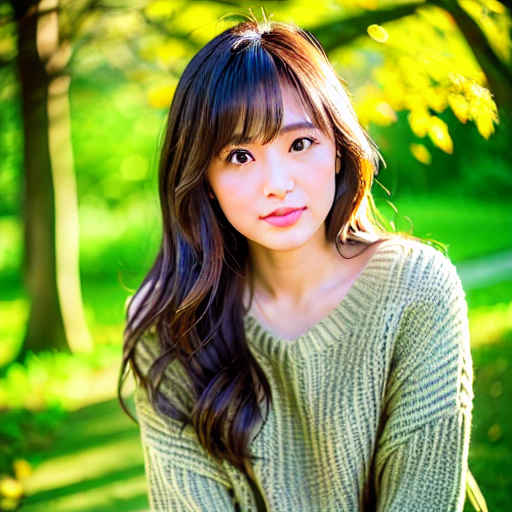 | 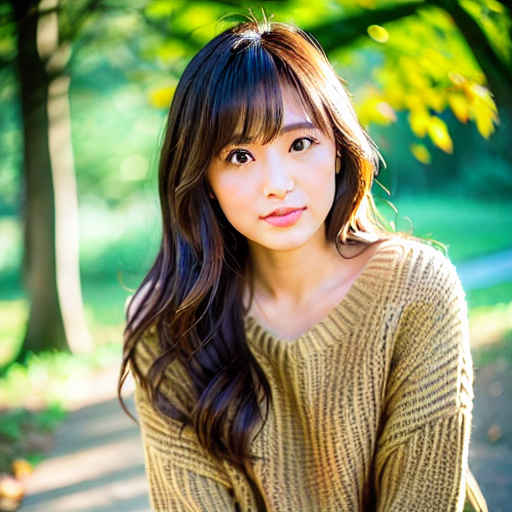 | 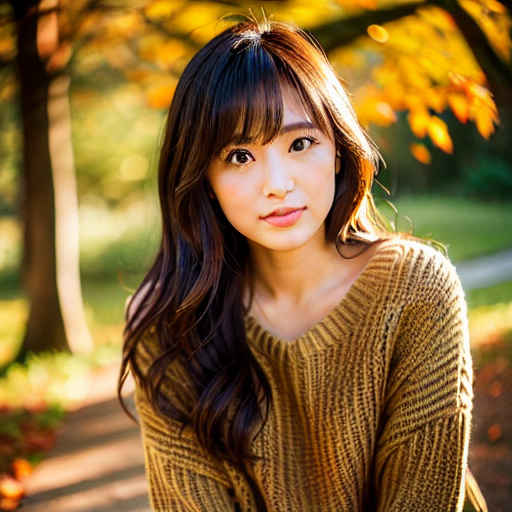 | 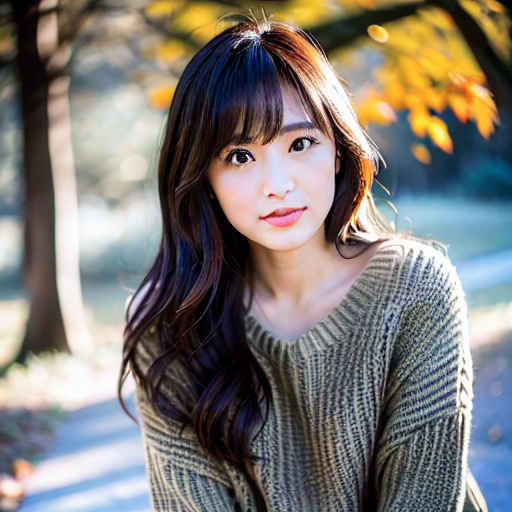 |
| SDXL | | 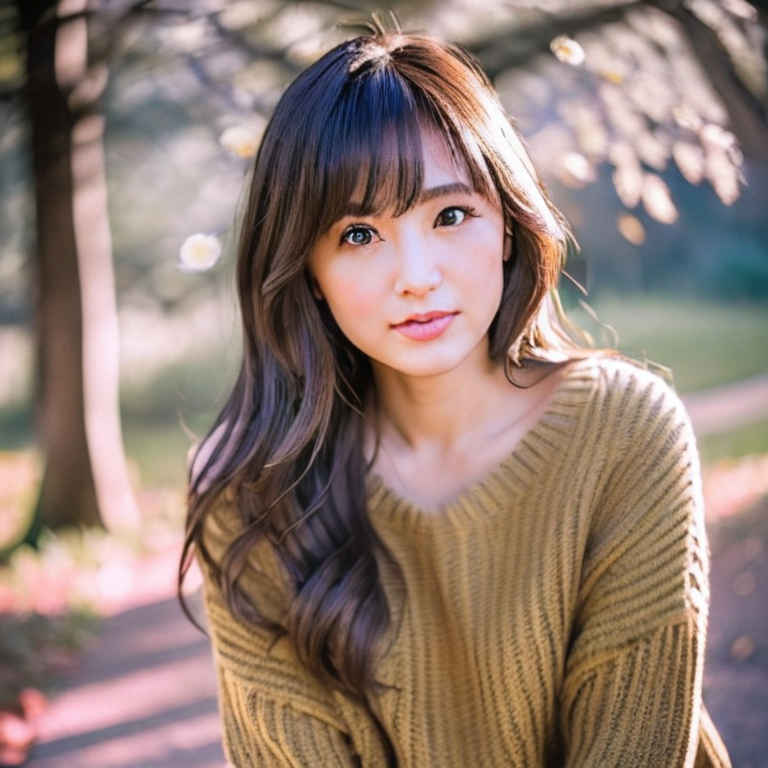 | 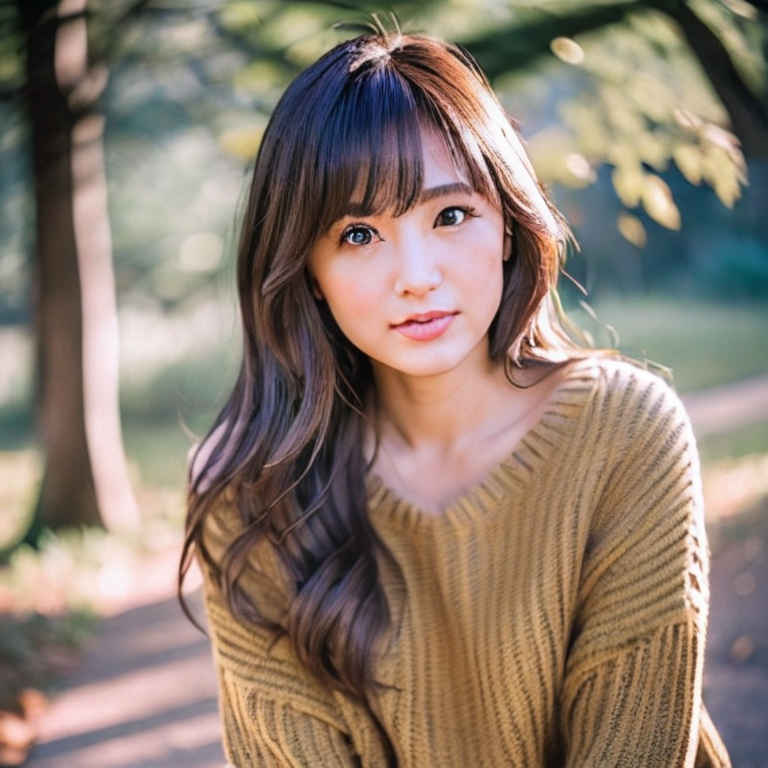 | 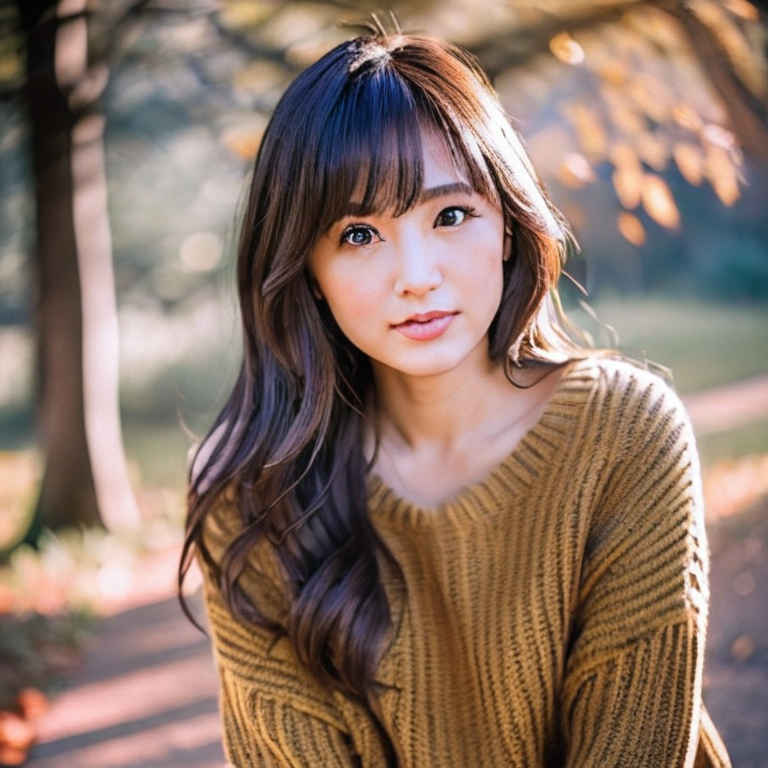 | 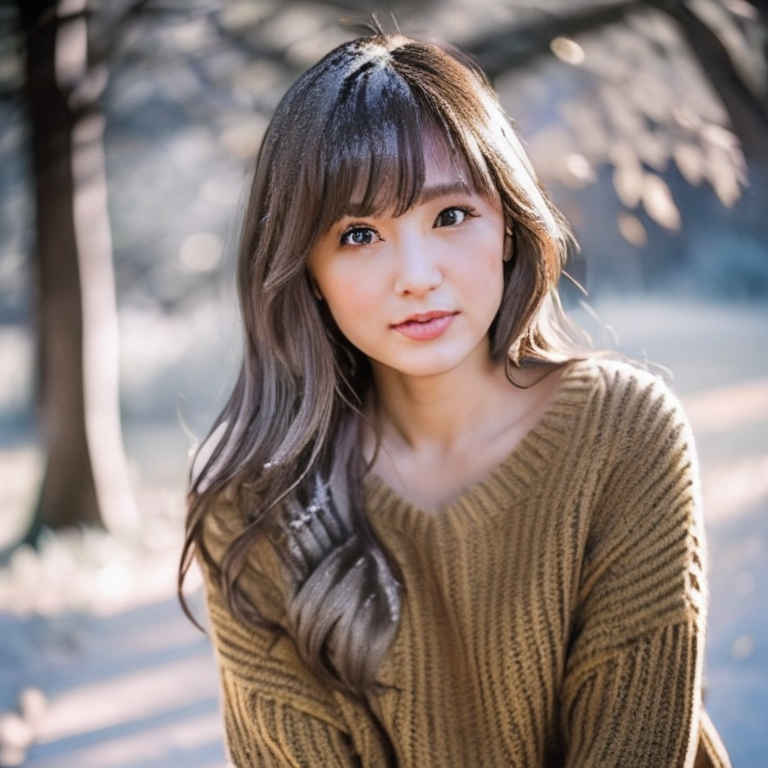 |
| モデルの種類 | 基本画像サイズ | パイプライン作成オブジェクト |
| SD1.5 | 512x512 | StableDiffusionInstructPix2PixPipeline |
| SDXL | 768x768 | StableDiffusionXLInstructPix2PixPipeline |
SD1.5 版
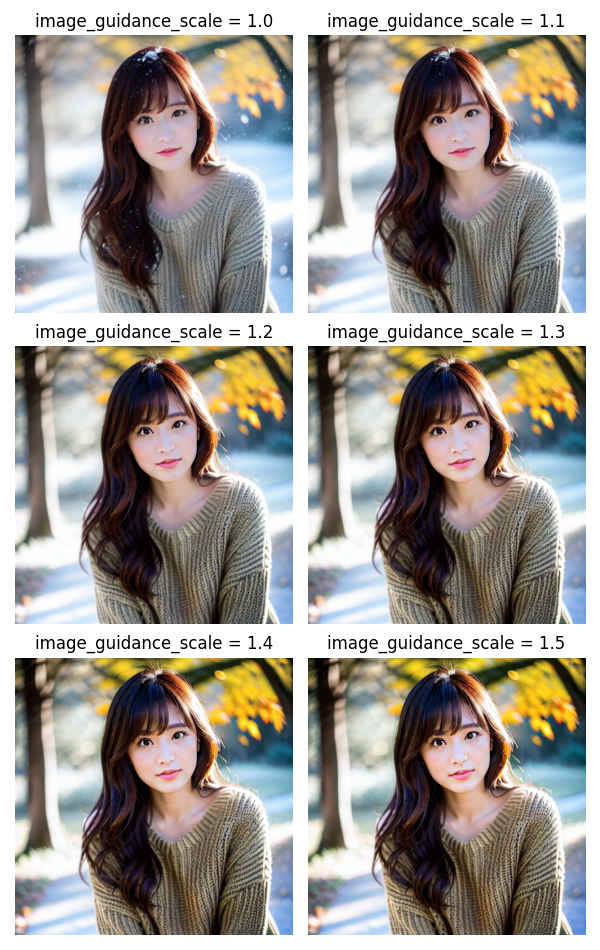
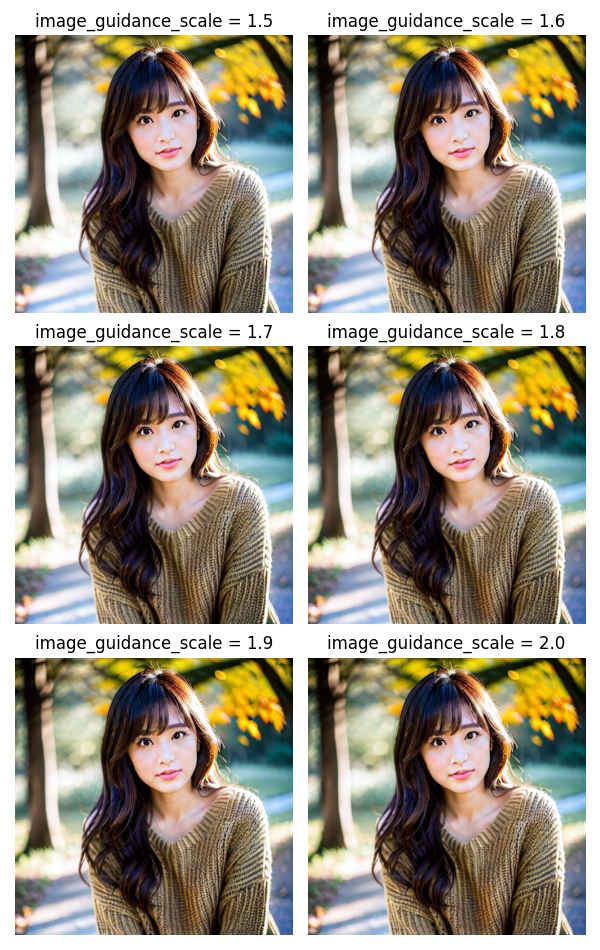
(sd_test) PS > python sd_041.py
Seed: 12345678, Model: timbrooks/instruct-pix2pix
source_image: images/sd_040_test.png
prompt : 雪の中の場面にする → Make it a scene in the snow
** image_guidance_scale 1.0 ~ 1.5 **
Loading pipeline components...: 100%|████████████| 7/7 [00:01<00:00,  5.17it/s]
100%|██████████████████████████████████████████| 20/20 [00:01<00:00, 17.95it/s]
Loading pipeline components...: 100%|████████████| 7/7 [00:01<00:00,  5.85it/s]
100%|██████████████████████████████████████████| 20/20 [00:01<00:00, 18.39it/s]
Loading pipeline components...: 100%|████████████| 7/7 [00:01<00:00,  6.01it/s]
100%|██████████████████████████████████████████| 20/20 [00:01<00:00, 17.88it/s]
Loading pipeline components...: 100%|████████████| 7/7 [00:01<00:00,  5.57it/s]
100%|██████████████████████████████████████████| 20/20 [00:01<00:00, 18.38it/s]
Loading pipeline components...: 100%|████████████| 7/7 [00:01<00:00,  6.14it/s]
100%|██████████████████████████████████████████| 20/20 [00:01<00:00, 18.45it/s]
Loading pipeline components...: 100%|████████████| 7/7 [00:01<00:00,  6.13it/s]
100%|██████████████████████████████████████████| 20/20 [00:01<00:00, 18.44it/s]
SDXL 版
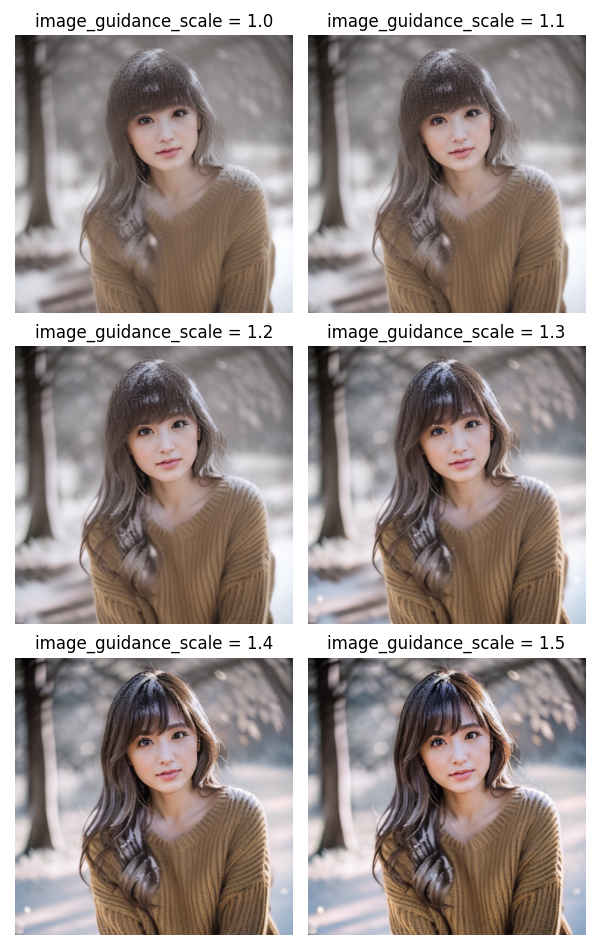
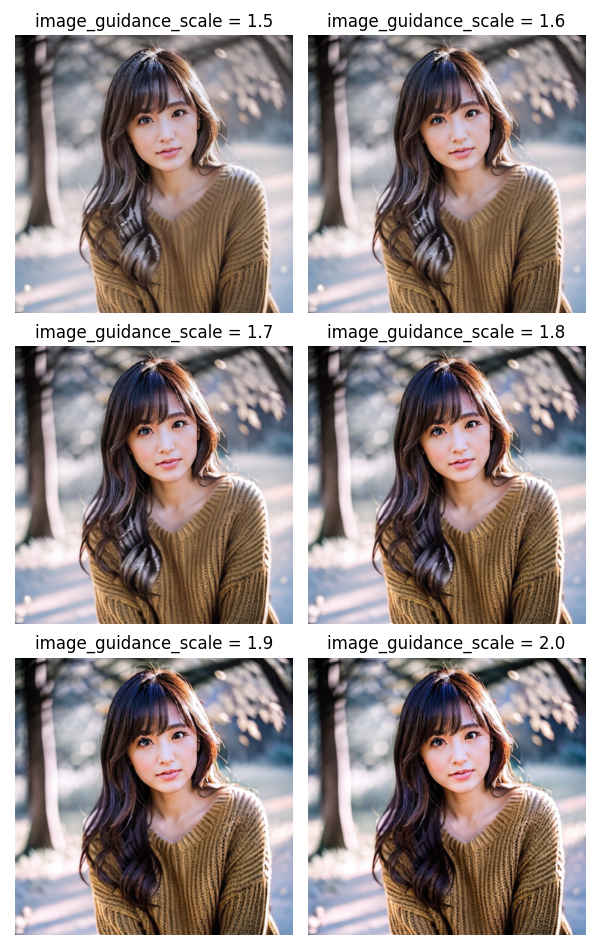
(sd_test) PS > python sd_041a.py
Seed: 0, Model: diffusers/sdxl-instructpix2pix-768
source_image: images/sd_040_test.png
prompt : 雪の中の場面にする → Make it a scene in the snow
** image_guidance_scale 1.0 ~ 1.5 **
Loading pipeline components...: 100%|████████████| 7/7 [00:02<00:00,  2.95it/s]
100%|██████████████████████████████████████████| 30/30 [00:05<00:00,  5.40it/s]
Loading pipeline components...: 100%|████████████| 7/7 [00:02<00:00,  3.10it/s]
100%|██████████████████████████████████████████| 30/30 [00:05<00:00,  5.41it/s]
Loading pipeline components...: 100%|████████████| 7/7 [00:02<00:00,  2.97it/s]
100%|██████████████████████████████████████████| 30/30 [00:05<00:00,  5.40it/s]
Loading pipeline components...: 100%|████████████| 7/7 [00:02<00:00,  3.10it/s]
100%|██████████████████████████████████████████| 30/30 [00:05<00:00,  5.41it/s]
Loading pipeline components...: 100%|████████████| 7/7 [00:02<00:00,  3.00it/s]
100%|██████████████████████████████████████████| 30/30 [00:05<00:00,  5.38it/s]
Loading pipeline components...: 100%|████████████| 7/7 [00:02<00:00,  3.09it/s]
100%|██████████████████████████████████████████| 30/30 [00:05<00:00,  5.39it/s]
SD1.5 版 「浜辺の場面にする」
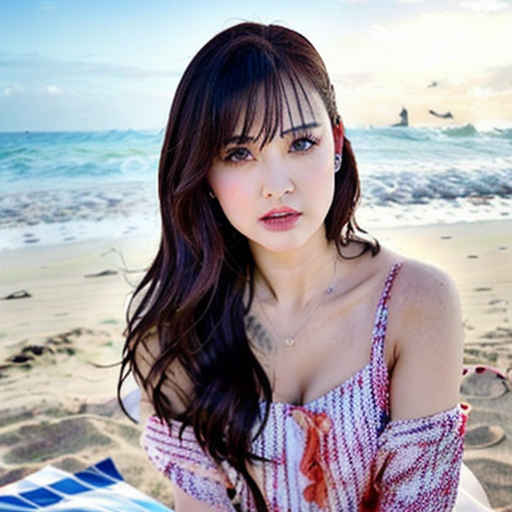
## sd_042.py【SD1.5】 画像から画像生成(controlnet instruct-pix2pix)サンプル・ソースコード
##      https://qiita.com/phyblas/items/28c342740c2ed00250b8
##      Ver. 0.00   2025/07/07
##
##      command:    python sd_042.py [プロンプト]
##
##       プロンプト     '浜辺の場面にする'  (デフォールト)
##                      '雪の中の場面にする'
##                      '炎の中の場面にする'
##                      '森の中の場面にする'
##                      '山中の場面にする'
##                      '砂漠の場面にする'
##                      '着物姿に着替える'
##
##                      'イラスト画像にする'
##                      'アニメ画像にする'
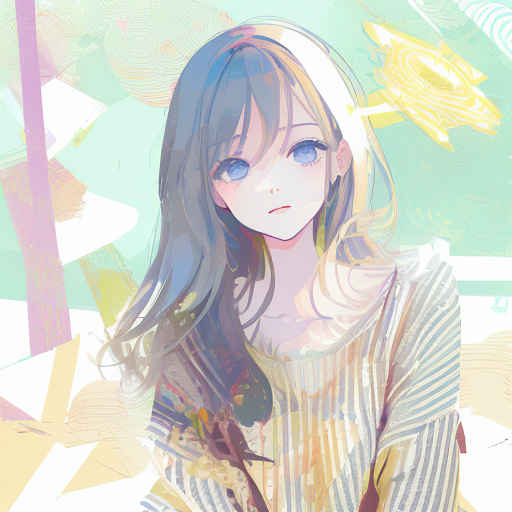
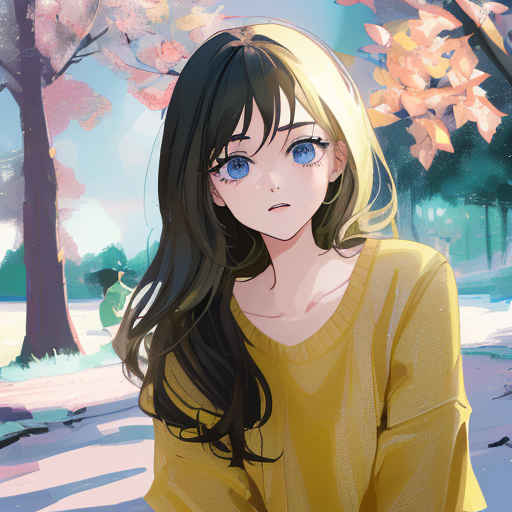
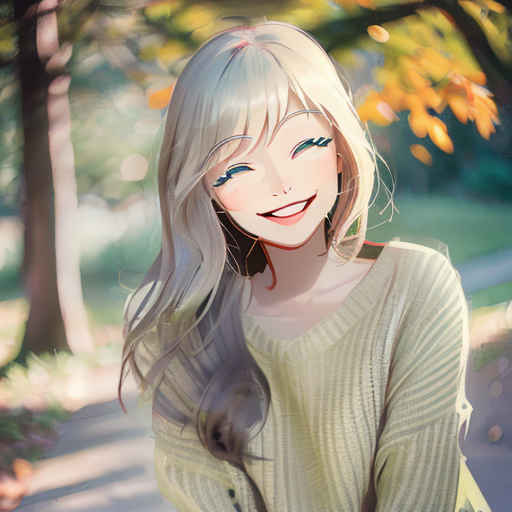
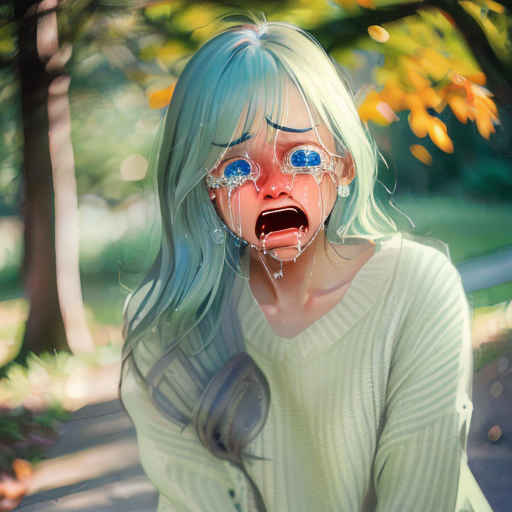
##                      '微笑んだ顔のアニメ画像にする'
##                      '泣き顔のアニメ画像にする'
##                      '嬉しそうな顔のアニメ画像にする'
##
##      model:          control_v11e_sd15_ip2p_fp16.safetensors
##      base model:     beautifulRealistic_brav5.safetensors        (リアル系)
##                      animePastelDream_softBakedVae.safetensors   (イラスト系)

import torch
from PIL import Image
from diffusers import StableDiffusionControlNetPipeline, ControlNetModel, EulerAncestralDiscreteScheduler, logging
from translate import Translator
import sys

logging.set_verbosity_error()

# フォルダーのパス
model_path = '/StabilityMatrix/Data/Models/ControlNet/control_v11e_sd15_ip2p_fp16.safetensors'              # コントロールネット・モデル
model_base_path = '/StabilityMatrix/Data/Models/StableDiffusion/SD1.5/beautifulRealistic_brav5.safetensors' # ベースモデル
#model_base_path = '/StabilityMatrix/Data/Models/StableDiffusion/SD1.5/animePastelDream_softBakedVae.safetensors' # ベースモデル
image_path = "images/sd_040_test.png"                           # 元画像

# GPUを使う場合は"cuda" 使わない場合は"cpu"
device = 'cuda' if torch.cuda.is_available() else 'cpu'

# seed 値
seed = 12345678

# パイプラインを作成
if device == 'cpu':
    controlnet = ControlNetModel.from_single_file(model_path).to(device)
    pipeline = StableDiffusionControlNetPipeline.from_single_file(model_base_path).to(device)
else:
    controlnet = ControlNetModel.from_single_file(model_path, torch_dtype=torch.float16).to(device)
    pipeline = StableDiffusionControlNetPipeline.from_single_file(
                    model_base_path,
                    controlnet=controlnet,
                    torch_dtype = torch.float16,
                    ).to(device)

# スケジューラー
pipeline.scheduler = EulerAncestralDiscreteScheduler.from_config(pipeline.scheduler.config)

# プロンプト
trans = Translator('en','ja').translate
args = sys.argv
prompt_jp = '浜辺の場面にする' if len(args) <= 1 else args[1]    # プロンプト
prompt = trans(prompt_jp)
src_image = Image.open(image_path)

# Generatorオブジェクト作成
generator = torch.Generator(device).manual_seed(seed)

print(f'Seed: {seed}, Model: {model_path}')
print(f'base Model: {model_base_path}')
print(f'source_image: {image_path}')
print(f'prompt : {prompt_jp} → {prompt}')

# 画像を生成
image = pipeline(
                    prompt = prompt,
                    image = src_image,
                    num_inference_steps = 25,
                    generator = generator
                    ).images[0]

image.save("results/image_042.png") # 生成画像(sd_test) PS > python sd_042.py Fetching 11 files: 100%|███████████████████████████████| 11/11 [00:00<?, ?it/s] Loading pipeline components...: 100%|████████████| 6/6 [00:00<00:00, 14.80it/s] Seed: 12345678, Model: /StabilityMatrix/Data/Models/ControlNet/control_v11e_sd15_ip2p_fp16.safetensors base Model: /StabilityMatrix/Data/Models/StableDiffusion/SD1.5/beautifulRealistic_brav5.safetensors source_image: images/sd_040_test.png prompt : 浜辺の場面にする → Set the scene on the beach 100%|██████████████████████████████████████████| 25/25 [00:02<00:00, 9.98it/s]
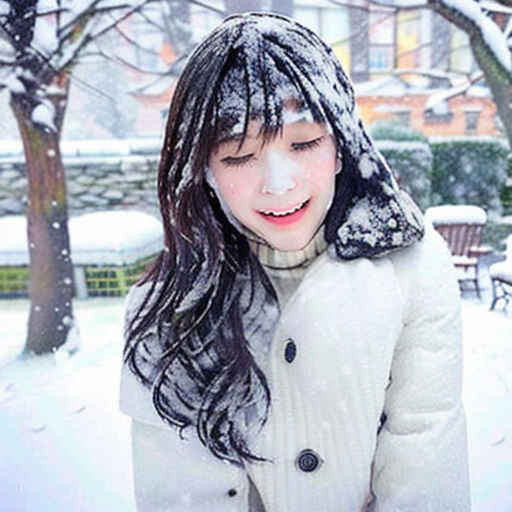
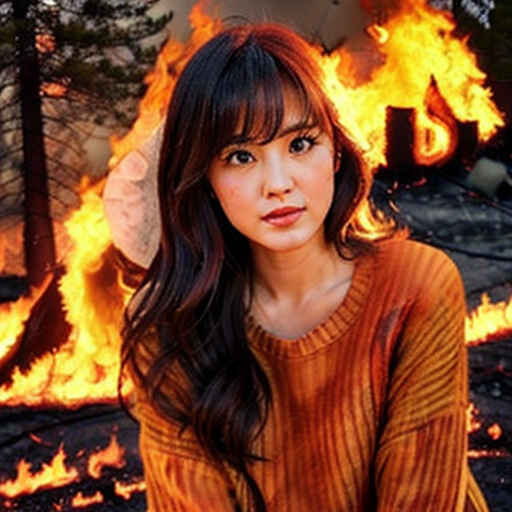
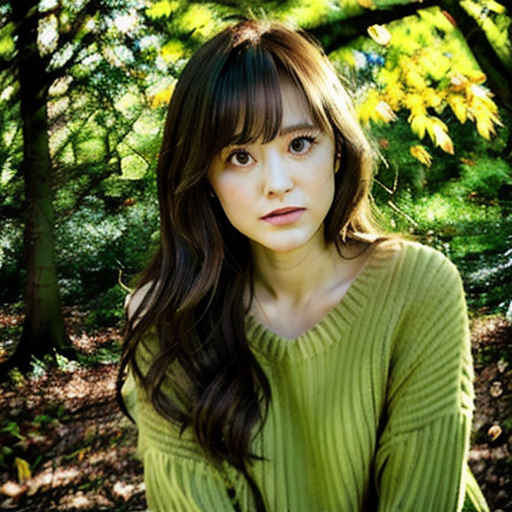
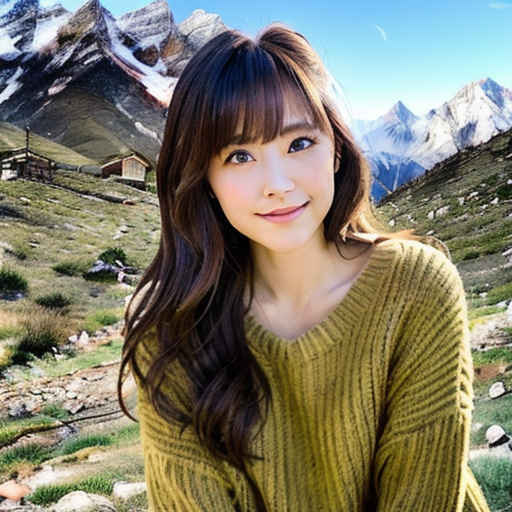
(sd_test) PS > python sd_042.py '雪の中の場面にする'・ベースモデル「beautifulRealistic_brav5.safetensors(リアル系)」
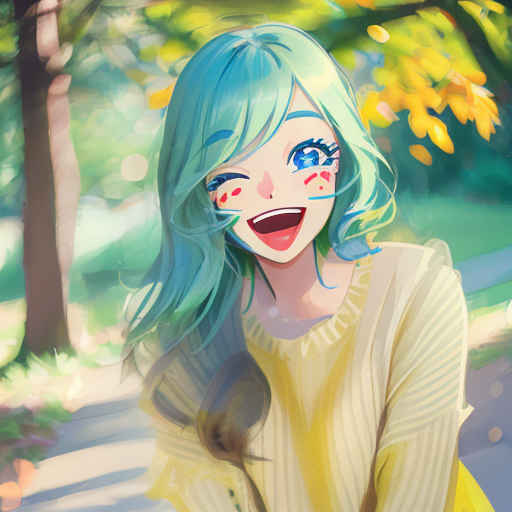
| 浜辺の場面にする | 雪の中の場面にする | 炎の中の場面にする | 森の中の場面にする | 山中の場面にする | 砂漠の場面にする |
| |  |  |  |  | 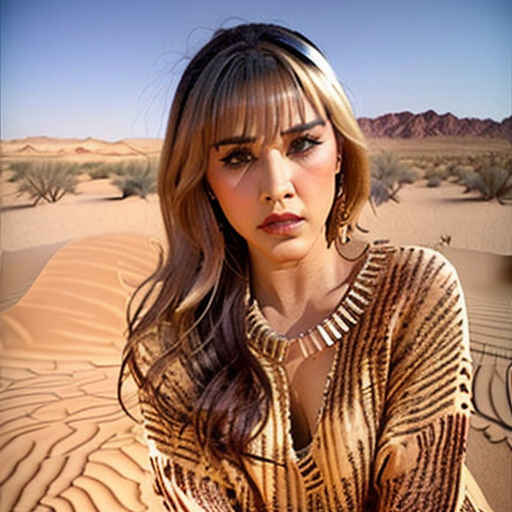 |
| 着物姿に着替える | イラスト画像にする | アニメ画像にする | 微笑んだ顔のアニメ画像 | 泣き顔のアニメ画像にする | 嬉しそうな顔のアニメ画像 |
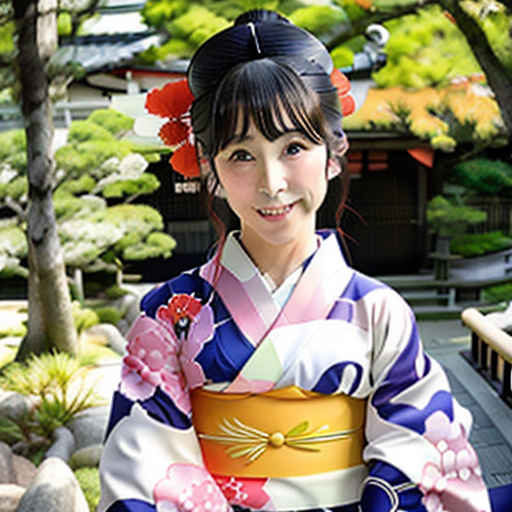 | 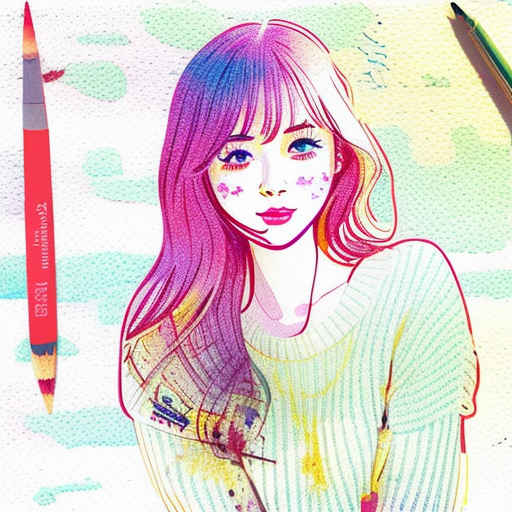 | 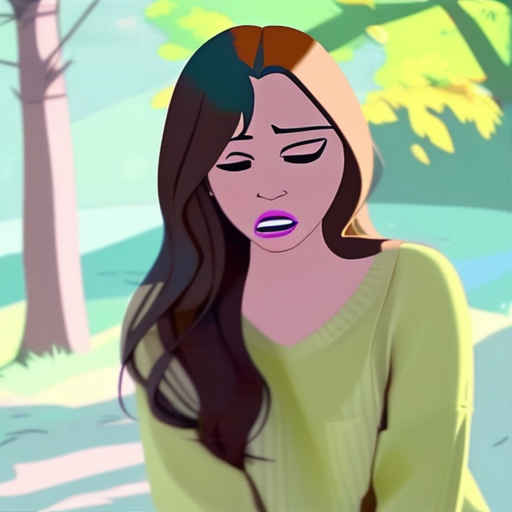 |  | 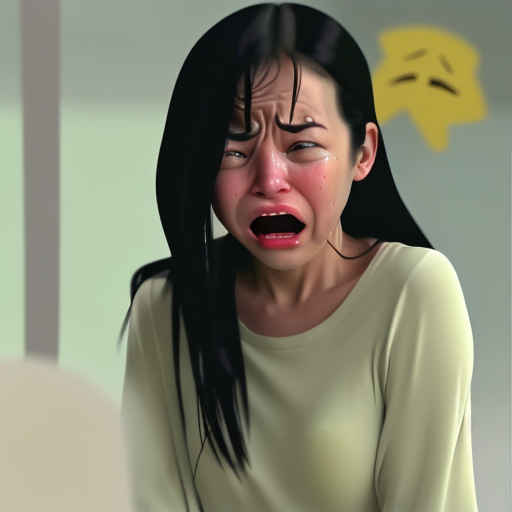 |  |
| 浜辺の場面にする | 雪の中の場面にする | 炎の中の場面にする | 森の中の場面にする | 山中の場面にする | 砂漠の場面にする |
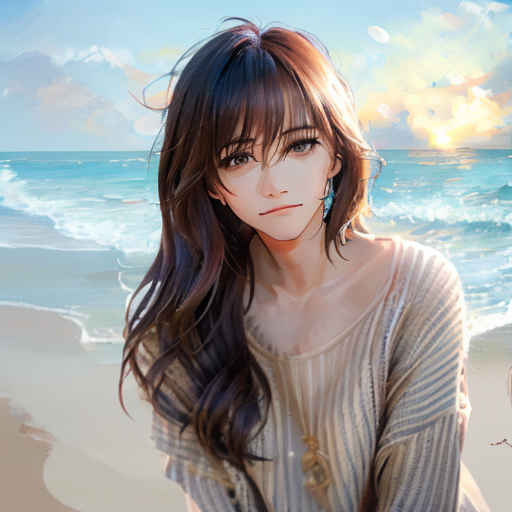 | 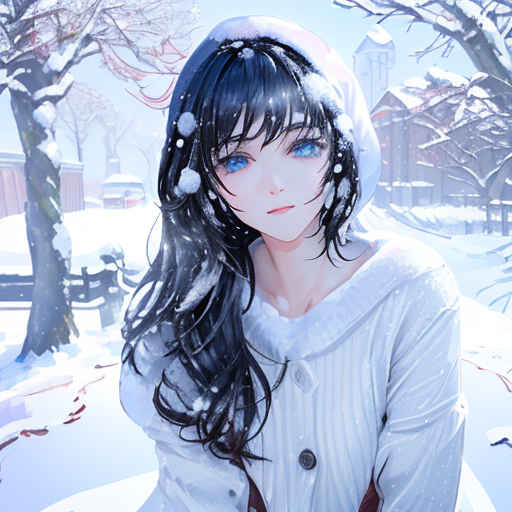 | 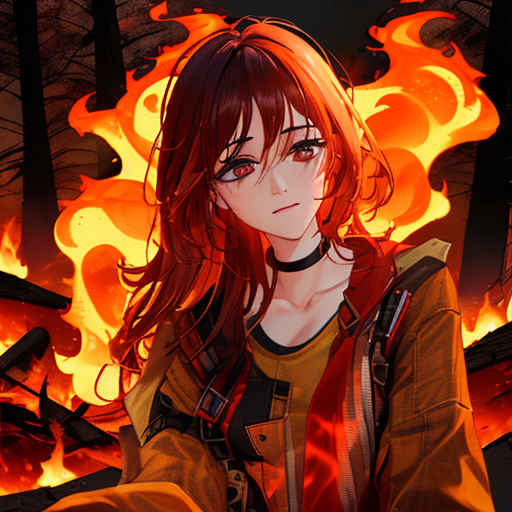 | 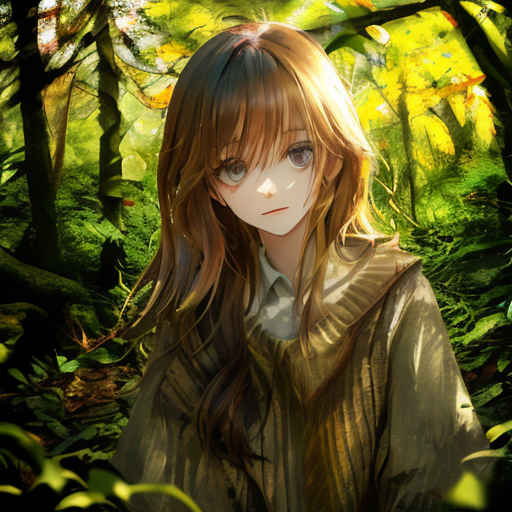 | 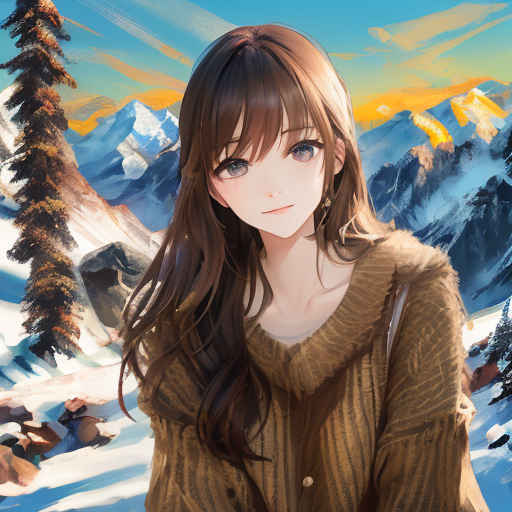 | 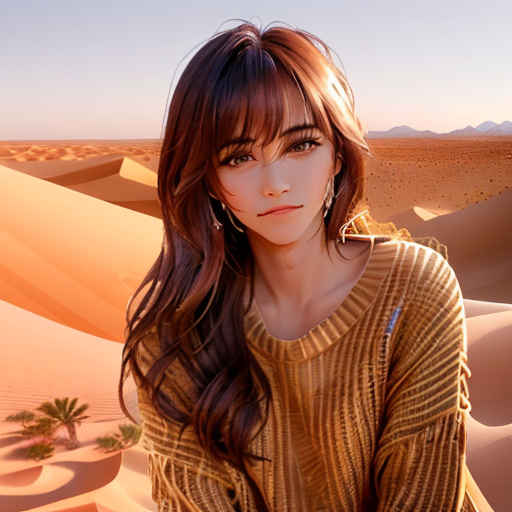 |
| 着物姿に着替える | イラスト画像にする | アニメ画像にする | 微笑んだ顔のアニメ画像 | 泣き顔のアニメ画像にする | 嬉しそうな顔のアニメ画像 |
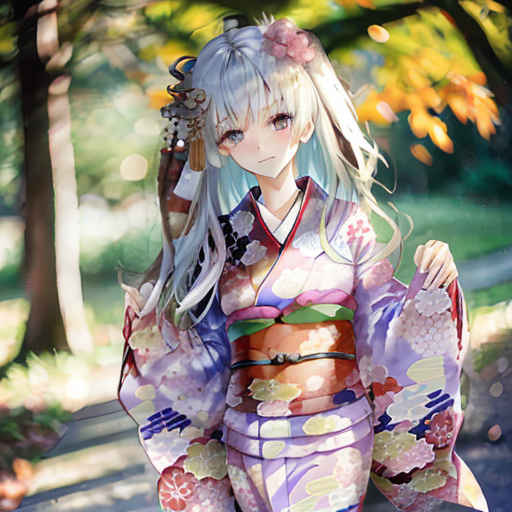 |  |  |  |  |  |
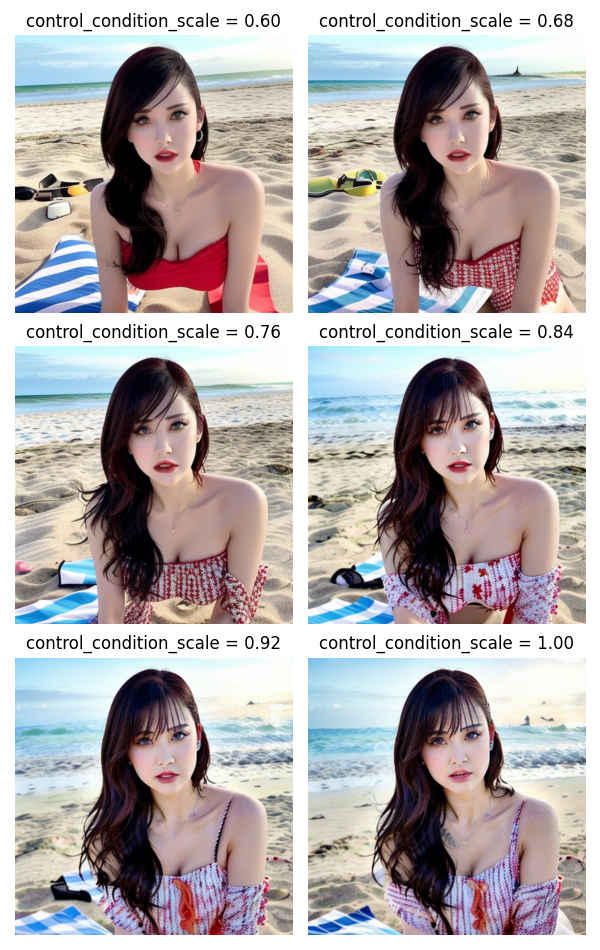
(sd_test) PS > python sd_043.py
Seed: 12345678, Model: /StabilityMatrix/Data/Models/ControlNet/control_v11e_sd15_ip2p_fp16.safetensors
source_image: images/sd_040_test.png
prompt : 浜辺の場面にする → Set the scene on the beach
** controlnet_conditioning_scale 0.6 ~ 1.0 **
Fetching 11 files: 100%|███████████████████████████████| 11/11 [00:00<?, ?it/s]
Loading pipeline components...: 100%|████████████| 6/6 [00:00<00:00, 18.80it/s]
100%|██████████████████████████████████████████| 25/25 [00:01<00:00, 14.93it/s]
Fetching 11 files: 100%|███████████████████████████████| 11/11 [00:00<?, ?it/s]
Loading pipeline components...: 100%|████████████| 6/6 [00:00<00:00, 32.75it/s]
100%|██████████████████████████████████████████| 25/25 [00:01<00:00, 17.17it/s]
Fetching 11 files: 100%|███████████████████████████████| 11/11 [00:00<?, ?it/s]
Loading pipeline components...: 100%|████████████| 6/6 [00:00<00:00, 33.71it/s]
100%|██████████████████████████████████████████| 25/25 [00:01<00:00, 17.11it/s]
Fetching 11 files: 100%|████████████████████| 11/11 [00:00<00:00, 11013.93it/s]
Loading pipeline components...: 100%|████████████| 6/6 [00:00<00:00, 21.55it/s]
100%|██████████████████████████████████████████| 25/25 [00:01<00:00, 17.10it/s]
Fetching 11 files: 100%|███████████████████████████████| 11/11 [00:00<?, ?it/s]
Loading pipeline components...: 100%|████████████| 6/6 [00:00<00:00, 33.15it/s]
100%|██████████████████████████████████████████| 25/25 [00:01<00:00, 17.17it/s]
Fetching 11 files: 100%|███████████████████████████████| 11/11 [00:00<?, ?it/s]
Loading pipeline components...: 100%|████████████| 6/6 [00:00<00:00, 32.32it/s]
100%|██████████████████████████████████████████| 25/25 [00:01<00:00, 17.17it/s]